What are SERP Features? Types & How to Rank for Them with SEO
 August 03, 2026
 Search Engine Optimization
Google has changed significantly over the years. People no longer see only a simple list of blue links when they search for something on Google. Today, search results can include AI-generated answers, map packs, image packs, videos, short videos, paid or organic shopping results, People Also Ask boxes, top stories, and many other elements.
All of these elements appear on Google Search Engine Results Pages (SERPs).
But with the increase of AI search and changing user behaviour, an important question for businesses and SEO professionals is: Do SERPs still matter?
The short answer is yes—but the way we understand and optimize for SERPs has changed.
What are SERP Features?
SERP features are specific components that appear on Google’s search engine results page, beyond the conventional “ten blue links.” These features are unique search results that differ from standard organic search results and are designed to enhance the user experience by delivering quick answers and additional information directly on Google's results pages.
Over the years, Google search has continuously introduced new SERP features. You’ll rarely see your search results without them.
As per SEMrush Sensor data, only 1.39% of Google search results are displayed without any SERP elements.
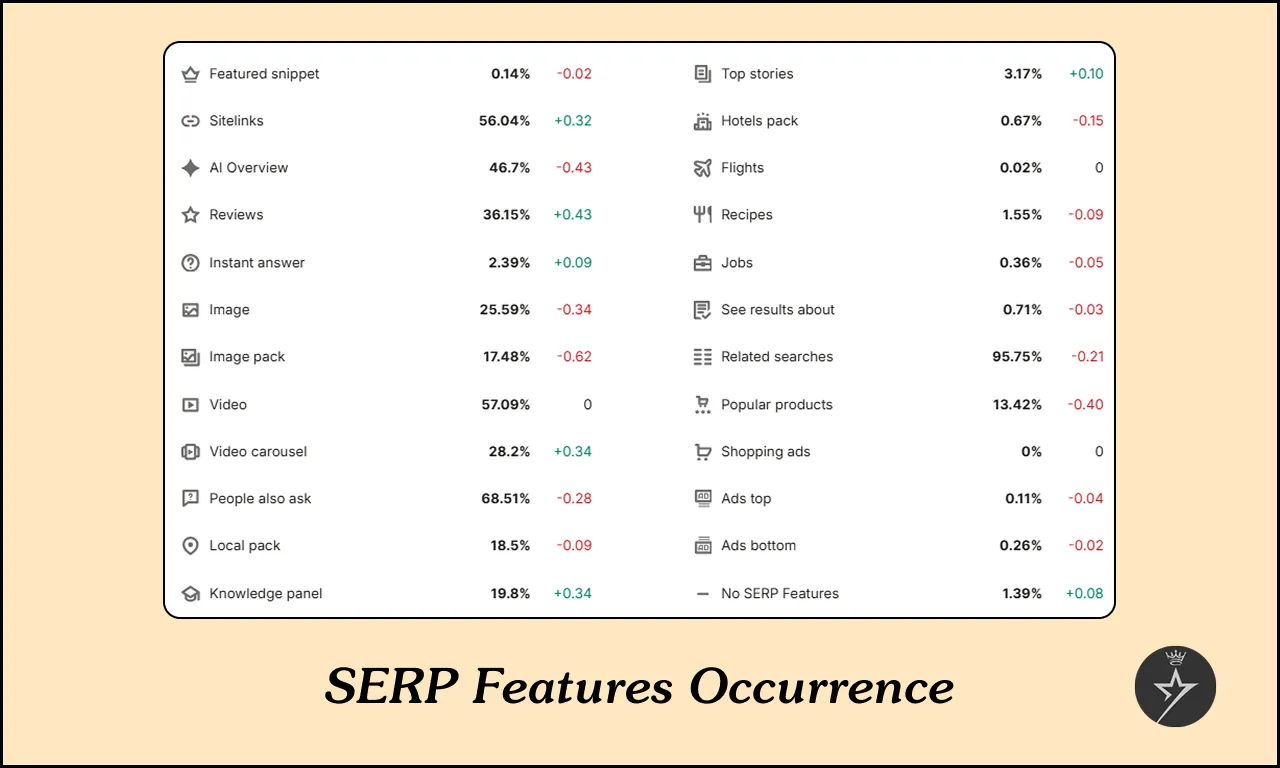
Which is why it is important to consider SERP features when selecting your target keywords and optimizing your website content for organic click-through rate (CTR).
Types of Google SERP Features
There are many types of Google SERP features, and most are described below; the description includes attached images:
1. Google AI Overview
AI Overviews represent Google’s biggest change to search engine result pages in over a decade. Now, instead of simply linking to websites, Google generates original answers by analysing multiple websites and synthesizing the information.
Google AI Overviews typically include:
2. AI Mode
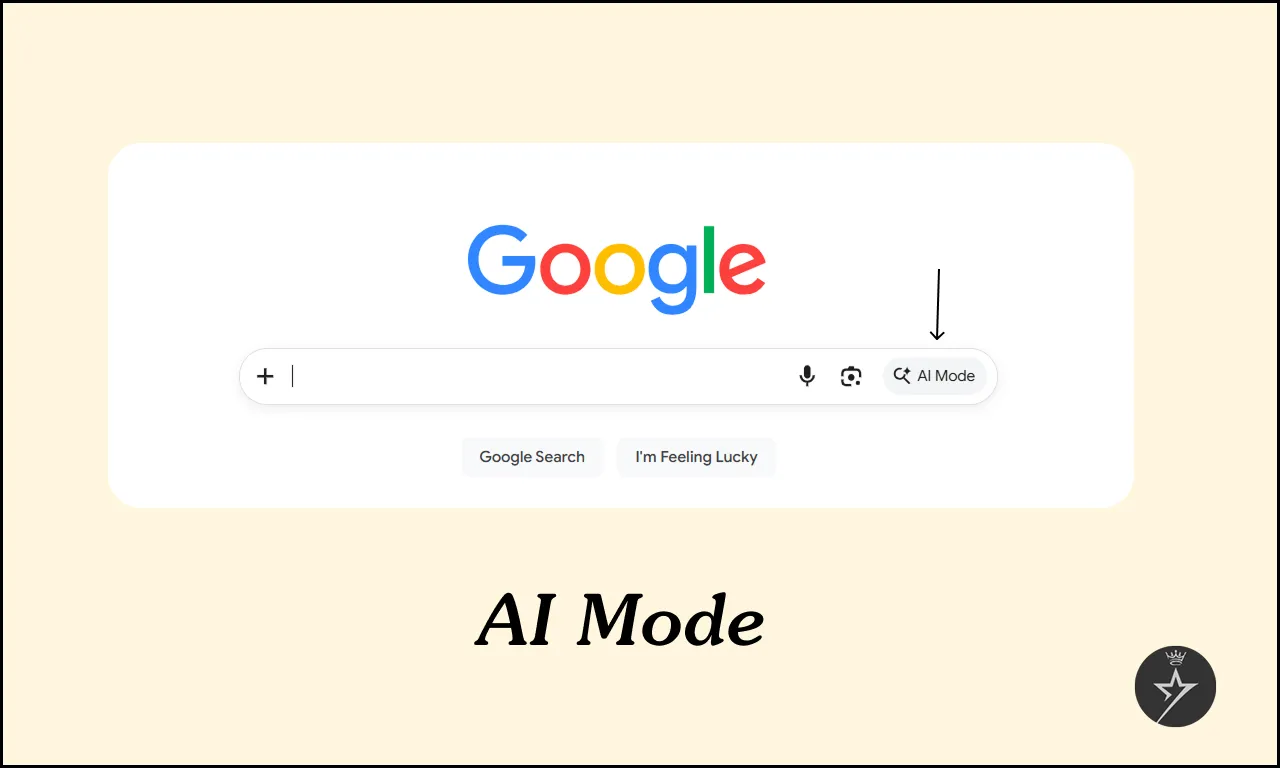
Google introduced “AI Mode”—a dedicated search experience that’s entirely AI-driven. When users toggle into AI Mode, every query receives an AI-generated answer. To do this, the AI system instantly performs two key actions:
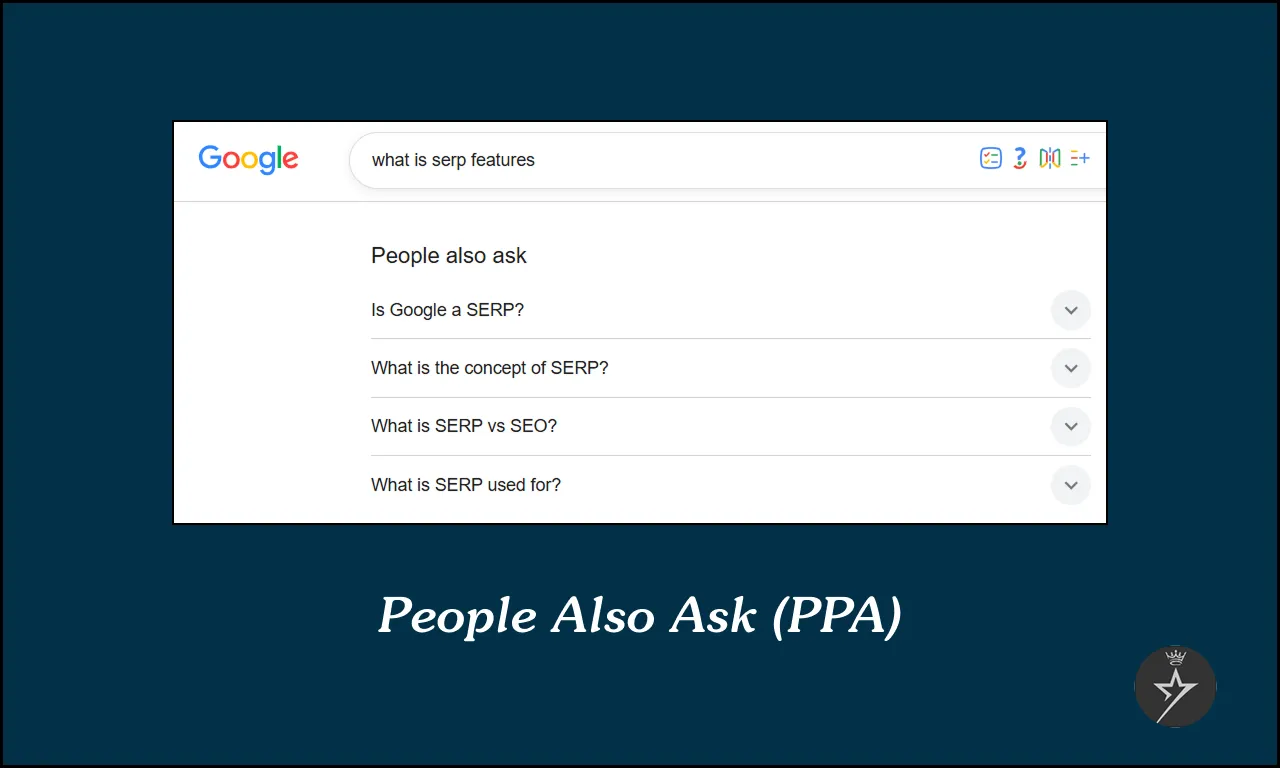
3. People Also Ask Box
You’ve probably noticed them; they look like small FAQ sections built right into the search engine result pages (SERPs) each tied to the original query. Clicking on a question reveals its answer and often triggers more related questions to appear below.
The purpose is simple: Google wants to know what your next question is and give you the answer before you even type it in.
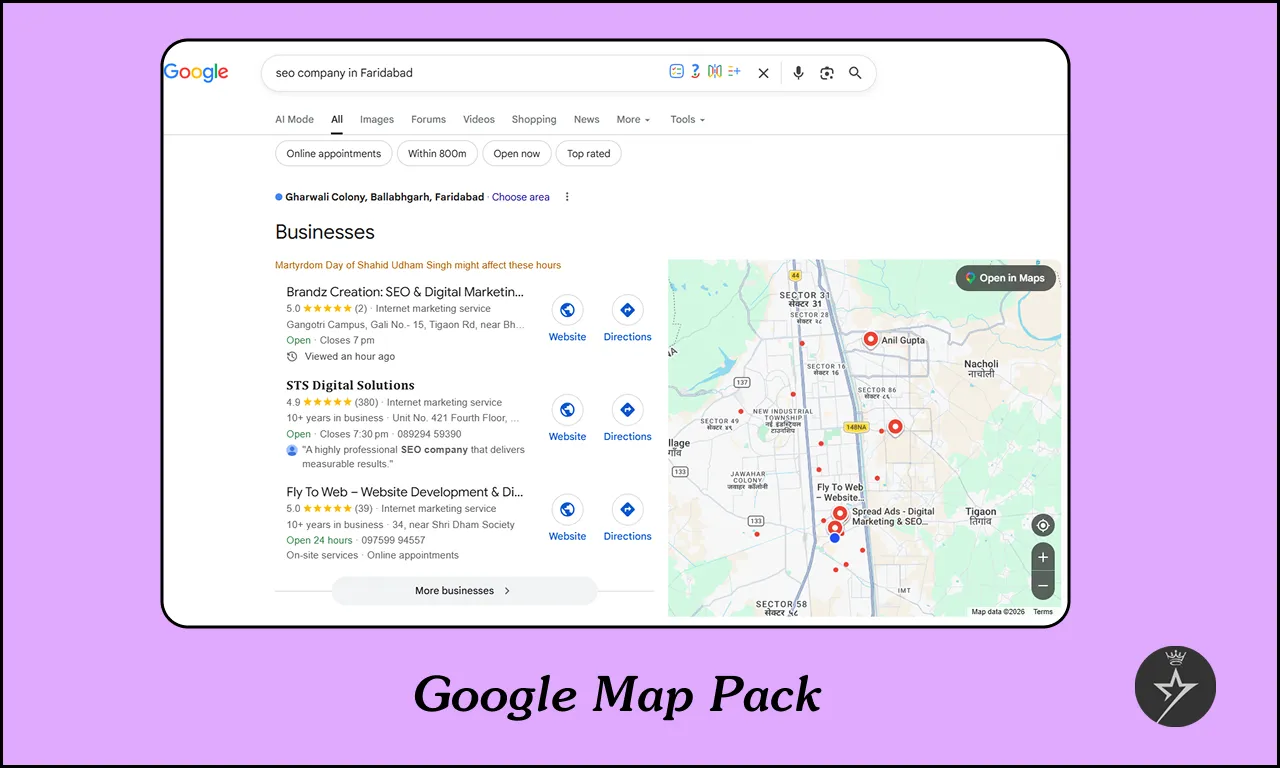
4. Google Map Packs
The Google Map Pack (or Local 3-Pack) is a group of three local business results that appear for searches Google deems location-specific. It features business names, star ratings, addresses, and hours whenever Google detects local search intent.
Examples include queries like “best SEO company in Faridabad” or “SEO Company in Delhi”.
Google Maps packs run on a different Google Algorithm. While traditional SEO often centres on backlinks, on-page SEO and technical SEO, local SEO focuses more on optimizing your Google Business Profile, earning positive reviews, and maintaining accurate NAP (Name, Address, and Phone Number) citations.
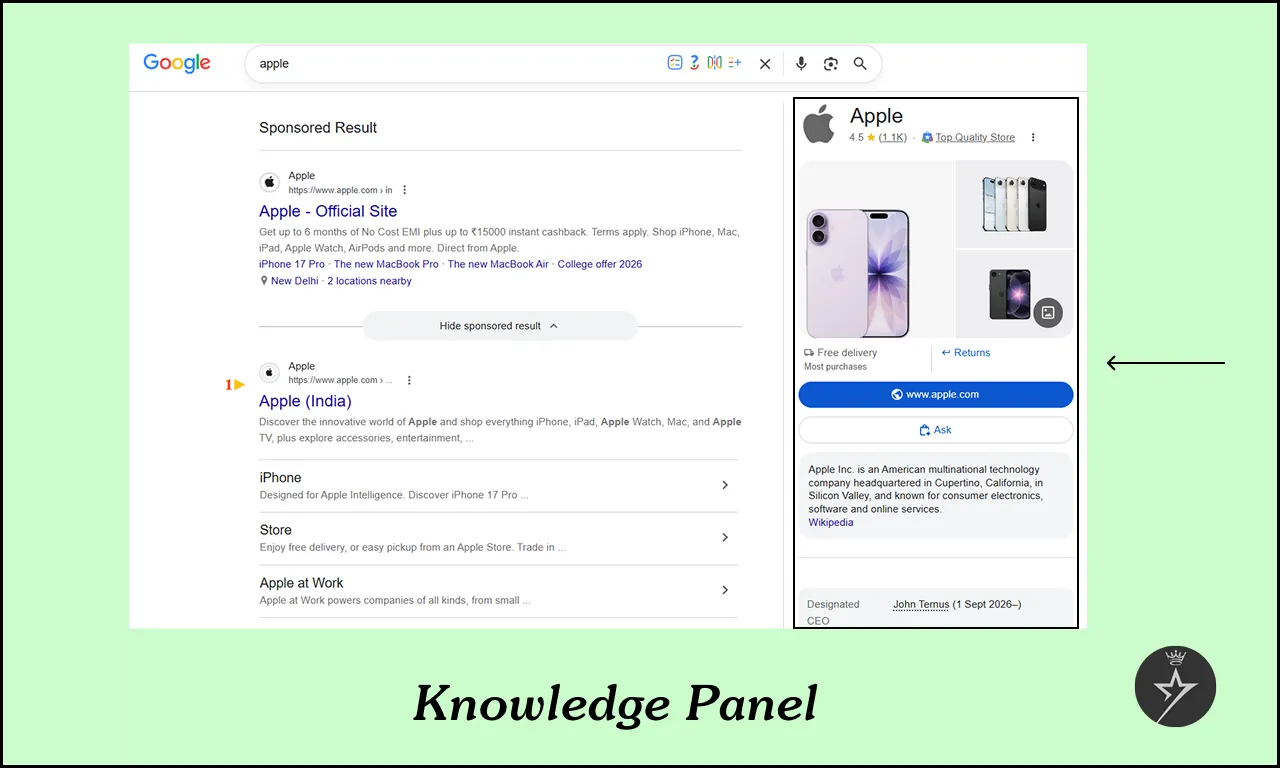
5. Knowledge Panels
Knowledge panels are automatic information boxes that appear on the right side of the Google search results page, highlighting key facts about a person, place, brand, or other entity. They pull data directly from a massive structured database known as the Knowledge Graph.
For example, you search for “Apple” shows the company’s official site and recent news in the main results; the panel on the right displays details about the founders, CEO, popular product lines, headquarters location, and many more.
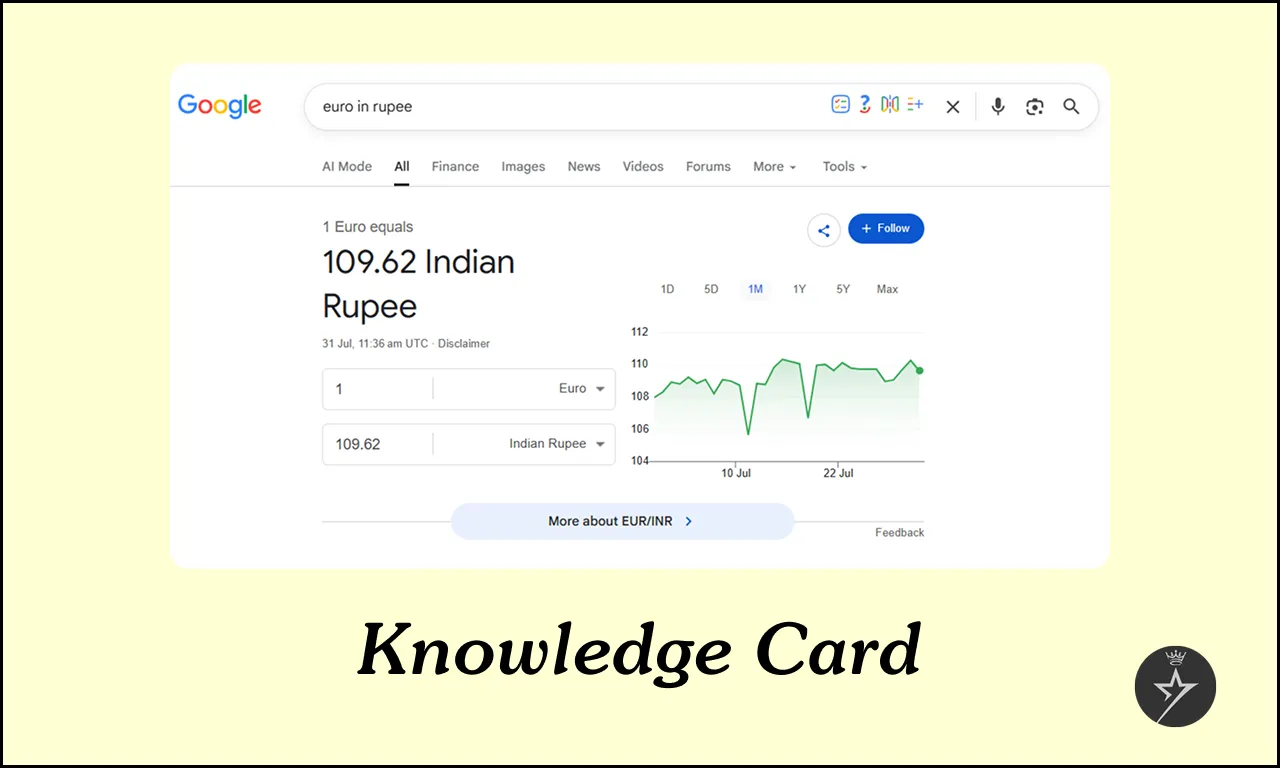
6. Knowledge Card
A Google Knowledge Card is an information box that displays a quick summary of facts, pictures, and website links when you search for well-known people, places, or things. It appears on the right side of the screen on computers or at the top on phones.
They often show up for queries like “euro in rupee”.
7. Sitelinks
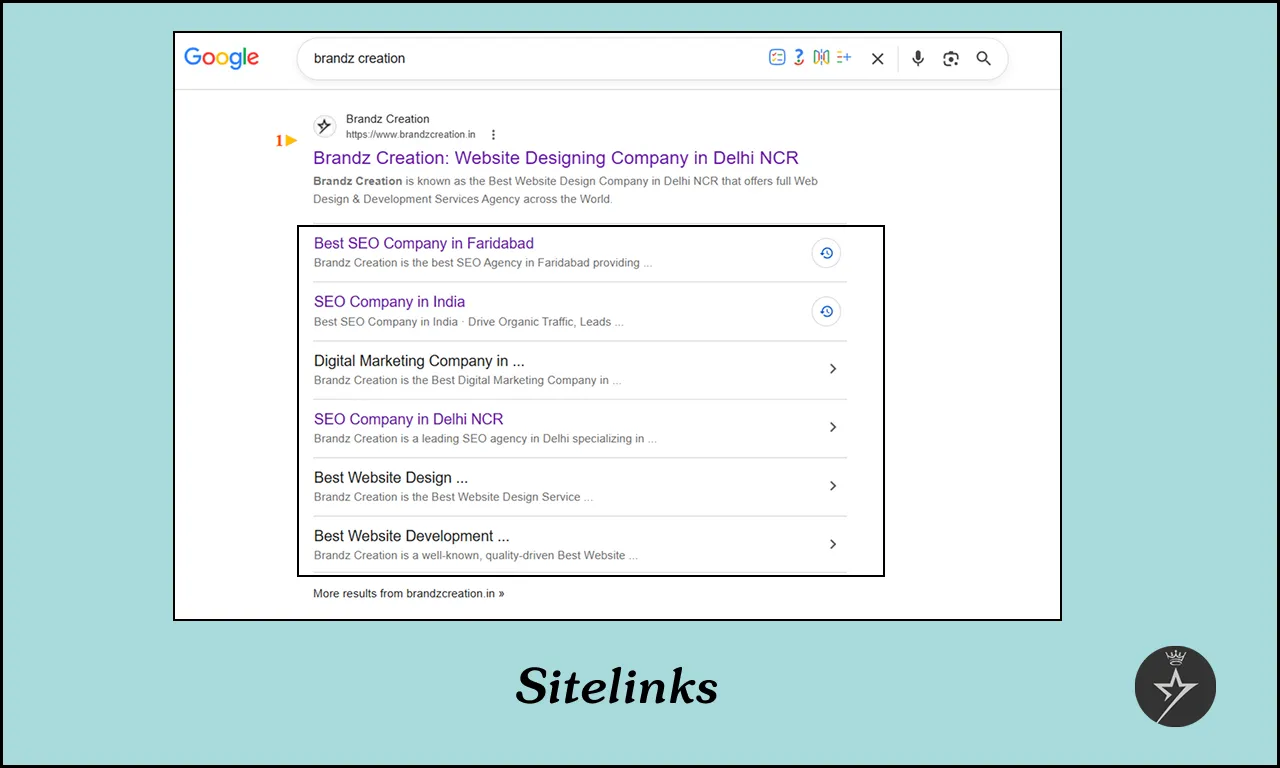
Google sitelinks are extra shortcut links displayed under a main search result, helping users jump straight to specific pages. They appear automatically for organic searches based on site structure, or can be manually configured as assets in Google paid campaigns.
For example, if you search for “Brandz Creation”, Google can’t always tell whether you want the homepage, the About page, or the services page. Sitelinks make it easy to click straight to the right place.
8. Image Packs
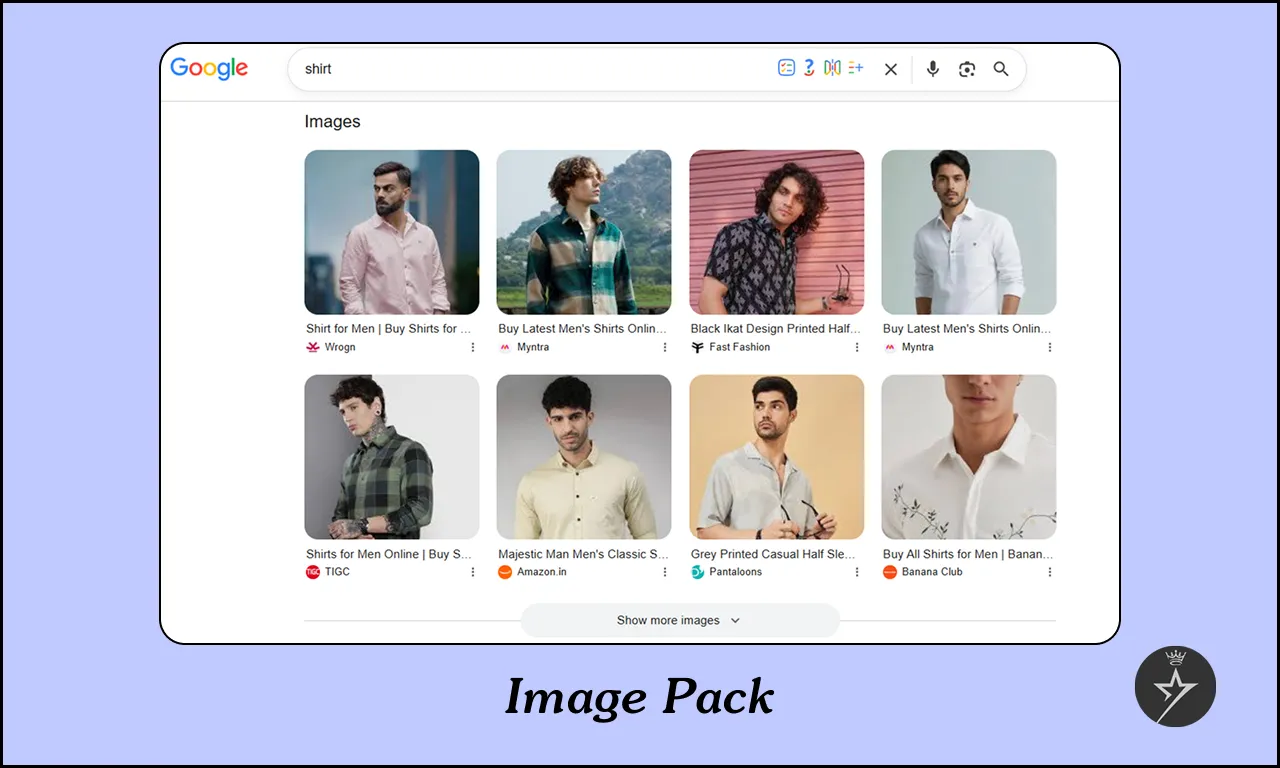
A Google Image Pack is a specialized search engine results page (SERP) feature that displays a clustered row or horizontal carousel directly in the search results, often pulled from Google Images. It appears when Google's algorithm detects a strong visual or informational intent behind a user's search query on Google Search.
For example, the keyword “shirt” might not seem like it would trigger an image pack, but it does.
Google likely tested search results with and without images and found that users engage more when visuals are included, so it now appears by default.
9. Sponsored Shopping Results
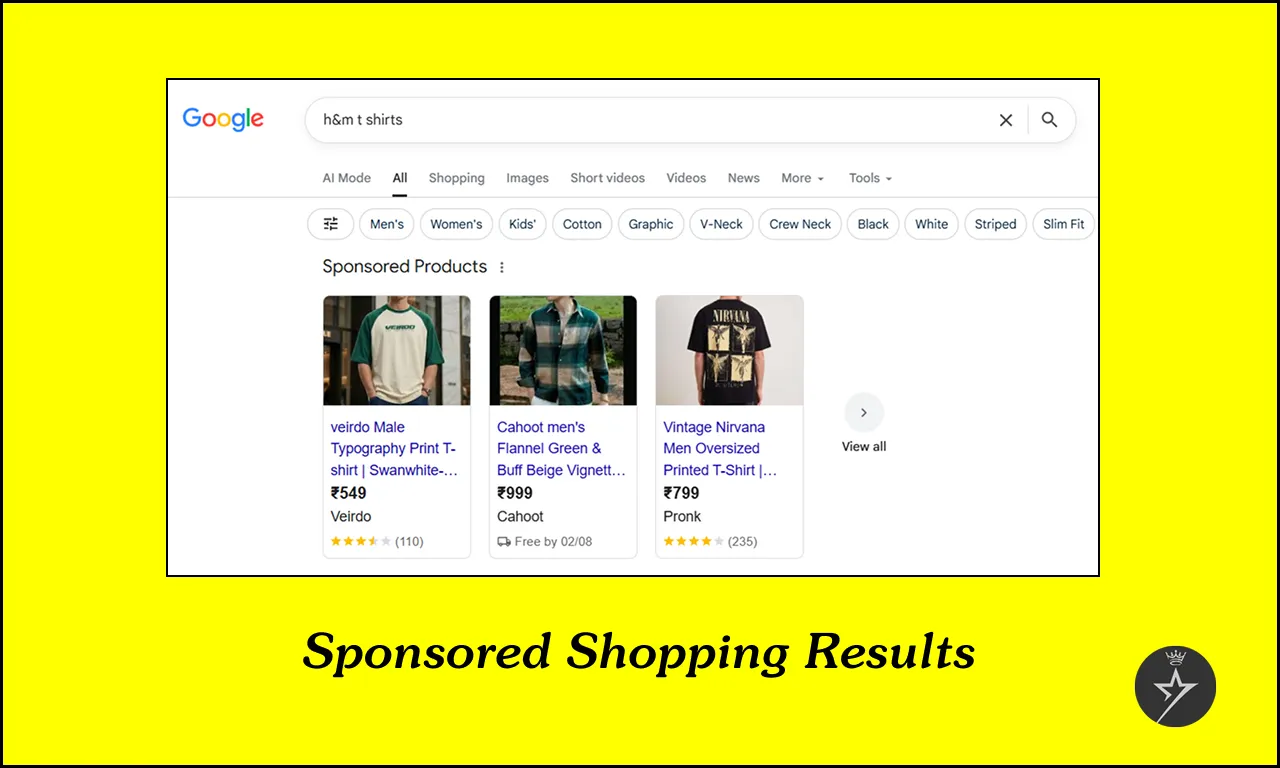
Sponsored Shopping results are paid advertisements displaying product images, prices, reviews, store names, and website links. You can set up and manage these product listings using the Google Merchant Center and Google Ads platforms.
For example, searching “t-shirts” often brings up a sponsored shopping carousel where you can compare products before clicking through to a store.
10. Organic Product Grids
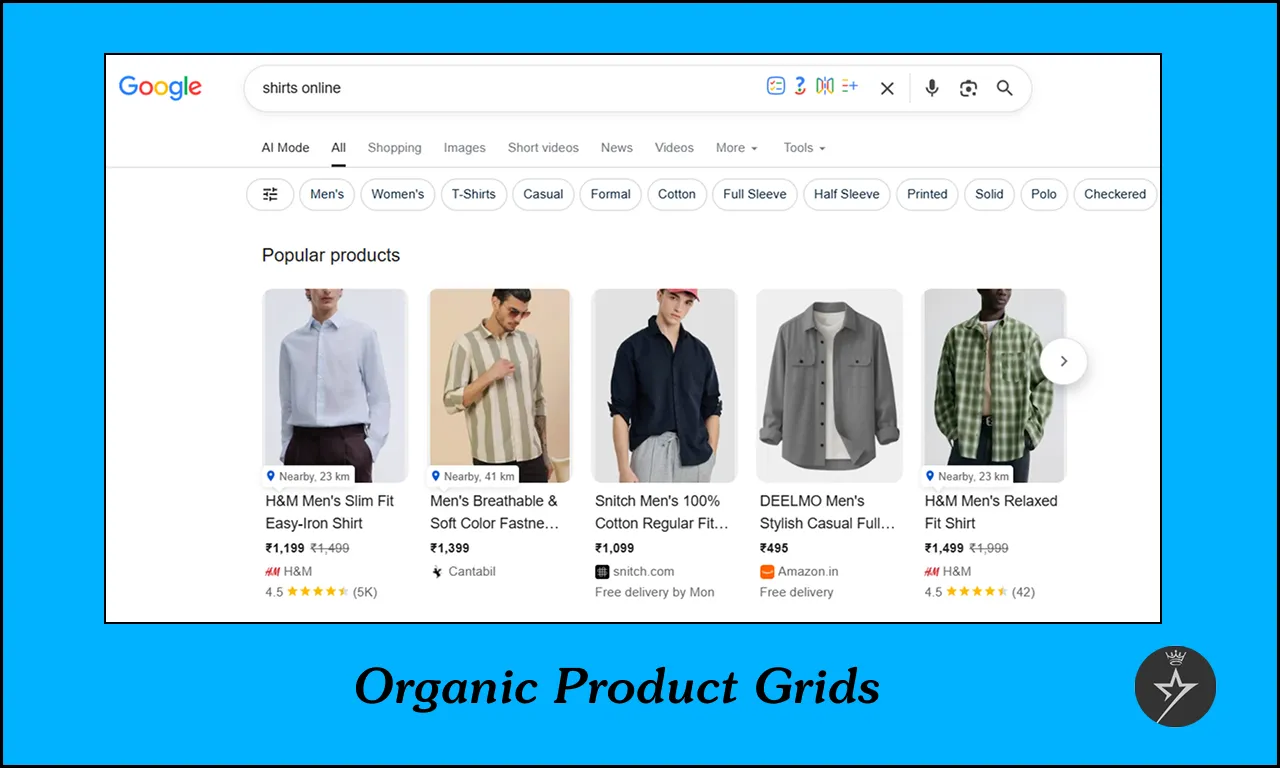
Google organic product grids are unpaid visual shopping products often labelled as "popular products" or merchant listings that showcase items directly on search engine results pages organically using data feeds rather than traditional blue links.
For example, searching “shirt online” often brings up a shopping carousel where you can compare products before click to a store.
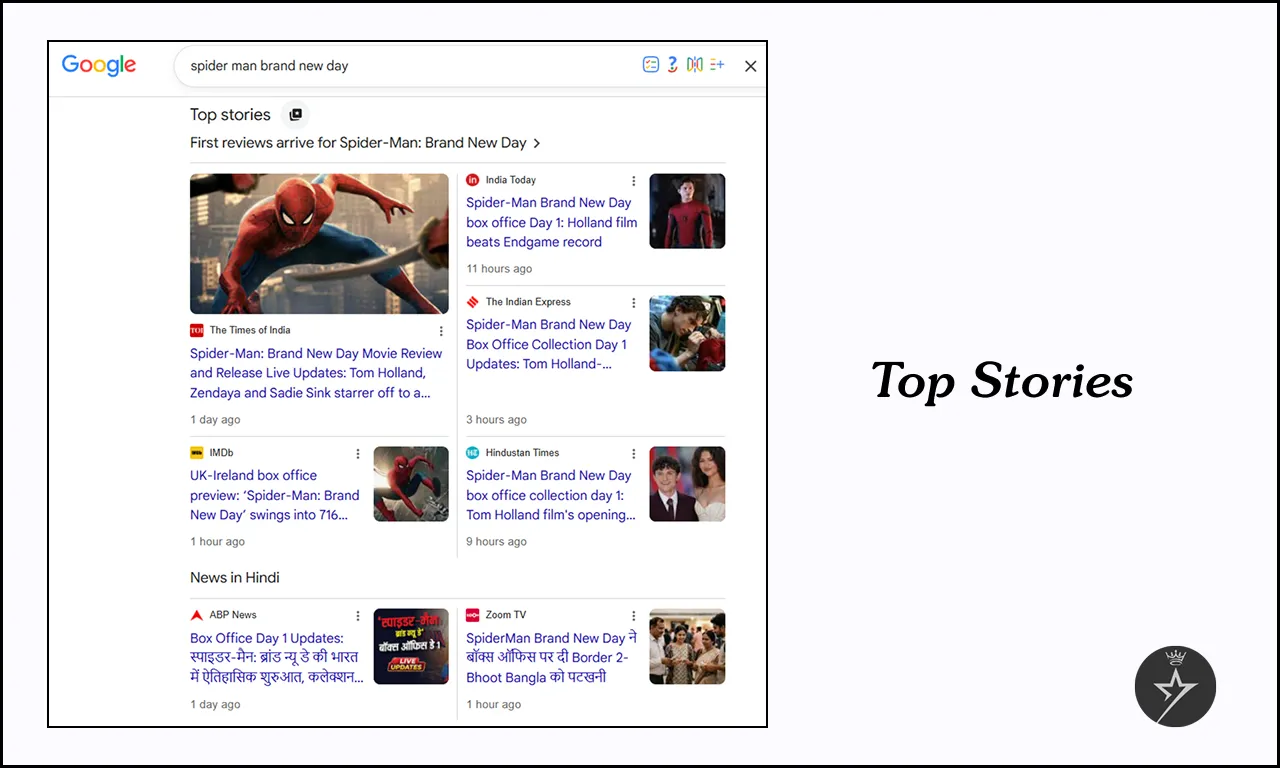
11. Top Stories
Top Stories is a search results feature that highlights recent news articles and current events and showcases breaking updates. They usually appear near the top of the results page in a carousel format.
For example, you search any movie name on Google Search might bring up the latest headlines from a news publisher covering climate change updates.
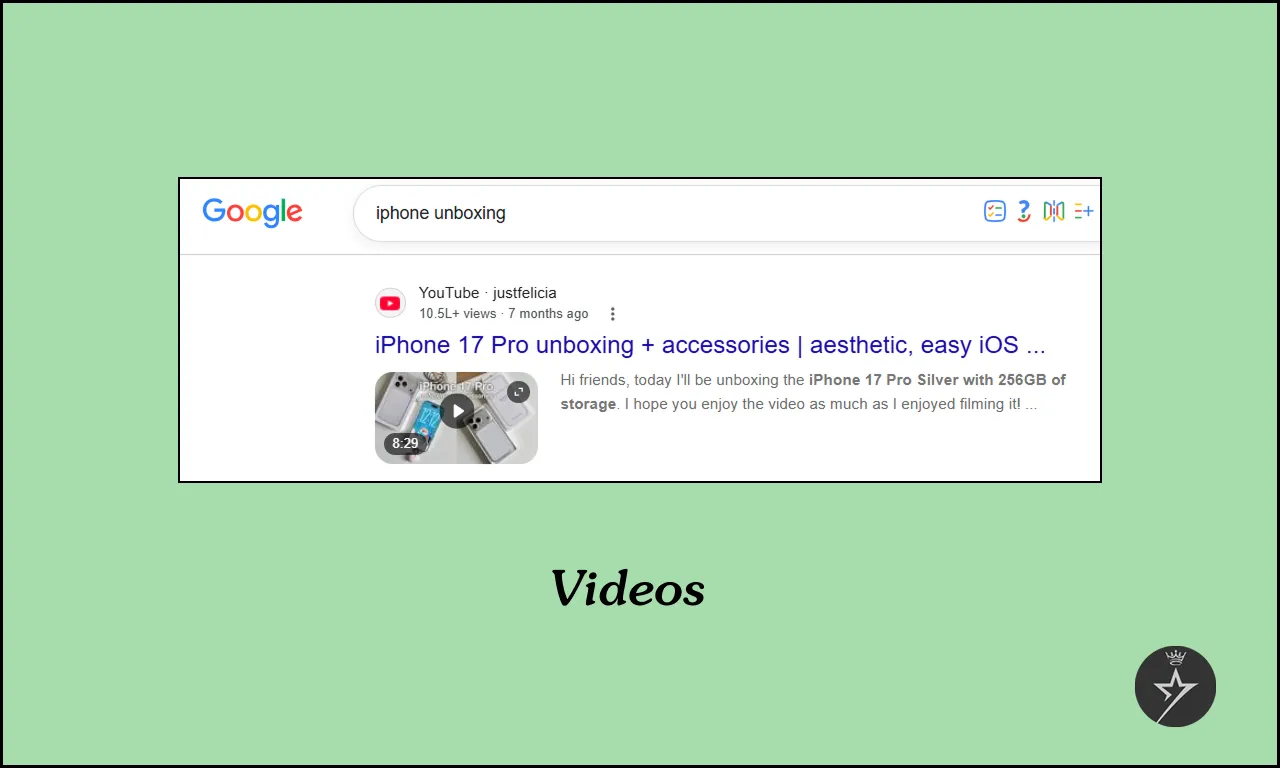
12. Videos
Google Video results are organic results enhanced with a video thumbnail. Only pages with embedded videos are eligible, and Google usually shows the upload date, duration, and the channel name in the SERP.
Most of the video results come from YouTube platform, but they can show up on other websites too.
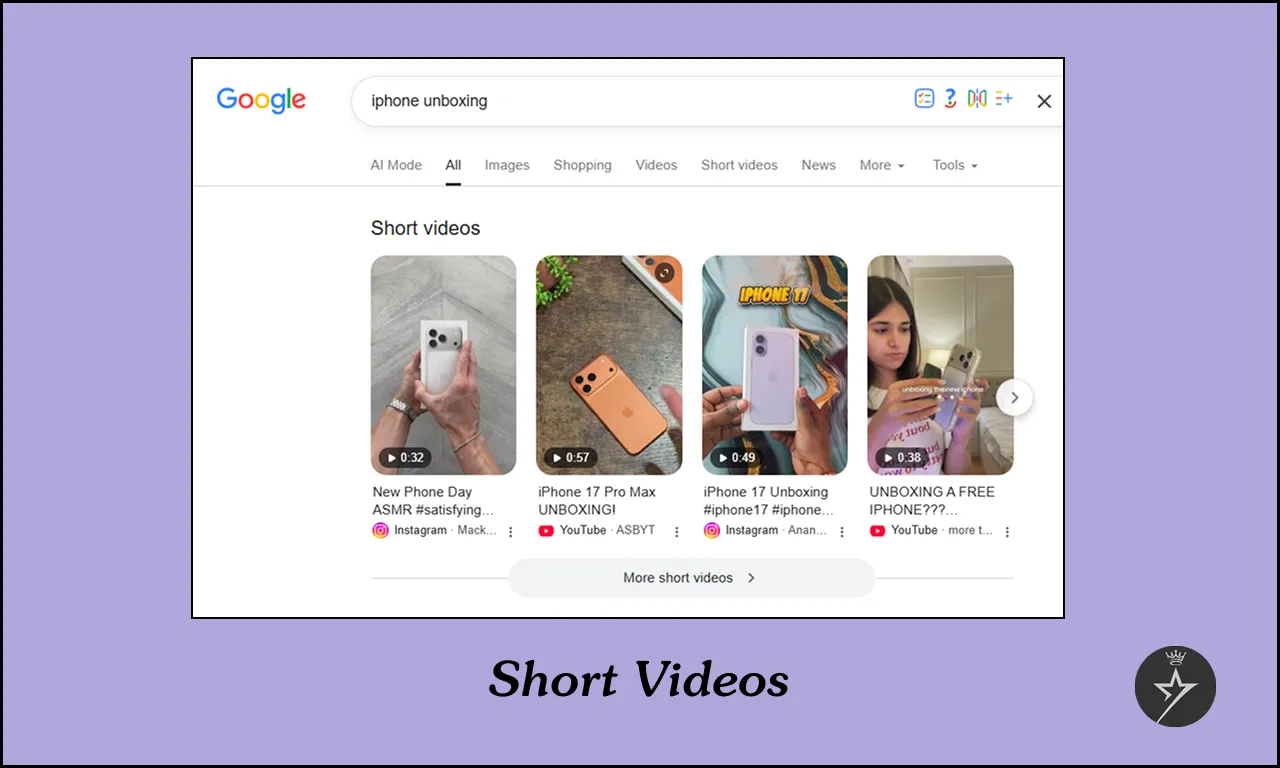
13. Short Videos
Google Search includes a dedicated Short Videos tab and feature in search results, now frequently displaying vertical, short-form clips (under 5 minutes) directly from platforms like YouTube Shorts, TikTok, Instagram Reels, and Facebook Reels.
These short videos usually appear for “how-to” queries, reviews, or visual inspiration topics (e.g., “iPhone unboxing” keyword).
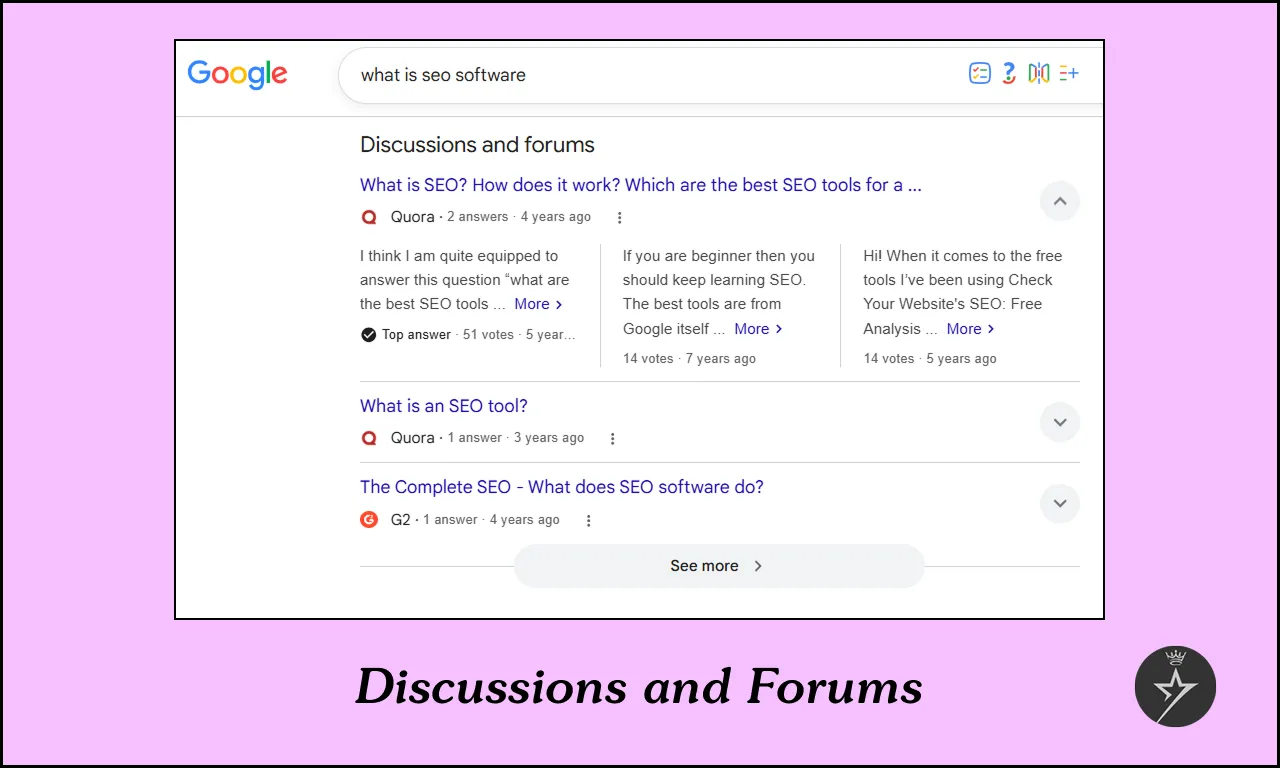
14. Discussions and Forums
Google, blocks are dedicated sections in the SERP that highlight content from community platforms like Reddit, Quora, LinkedIn, G2 Reviews and niche industry forums. On Reddit, user’s opinions are mixed, as some users find Google Groups clunky for modern web forums while others utilize its collaborative features.
This feature introduced to provide more visibility to the consumer’s voice, or the “User Experience”. Google knows that for queries like “what is SEO Software” users often trust real people on Reddit and Quora more than generic blog posts.
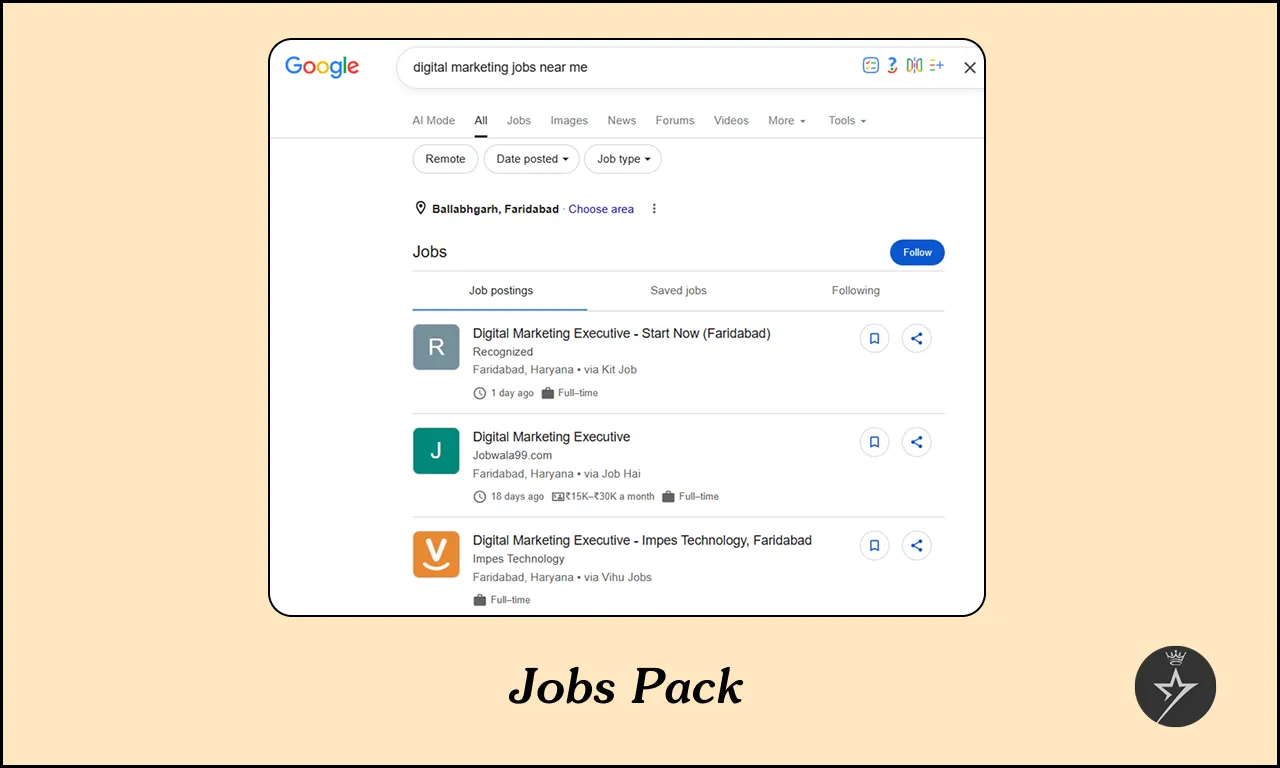
15. Jobs Pack
Google for Jobs is a free search tool job openings pulled from different career site and company listings. It appears in a box where you can filter by location, open position, check requirements, posting date, and apply directly through search jobs on Google.
For example, searching “digital marketing jobs near me” brings up a Job Pack with current openings through my location.
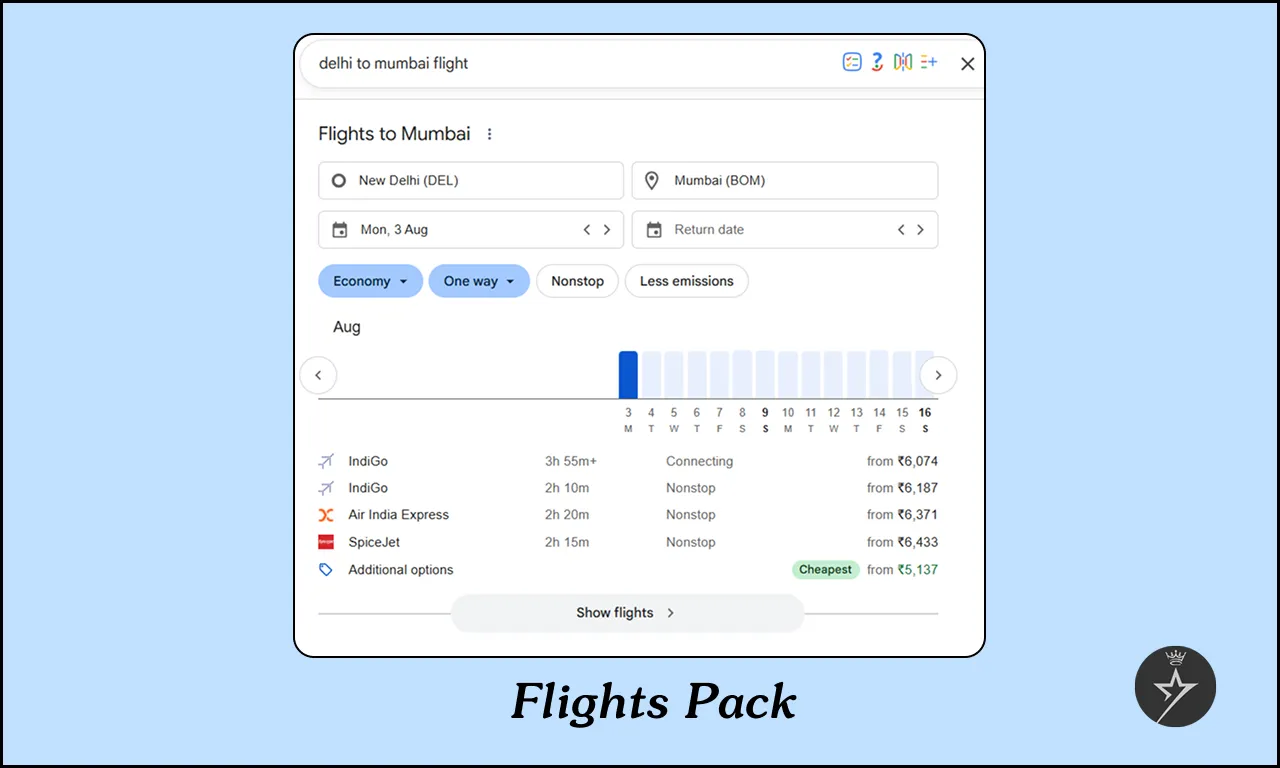
16. Flights Pack
Google does not offer a specific "travel pack" bundle, but Google sometimes shows flight options directly in search engine results page. These include airlines, prices, flight times, and booking links. Access this tool directly to plan itineraries, track fare histories, and explore destinations.
For example, searching “flights from Delhi to Mumbai” brings up a Flights Pack with options you can compare.
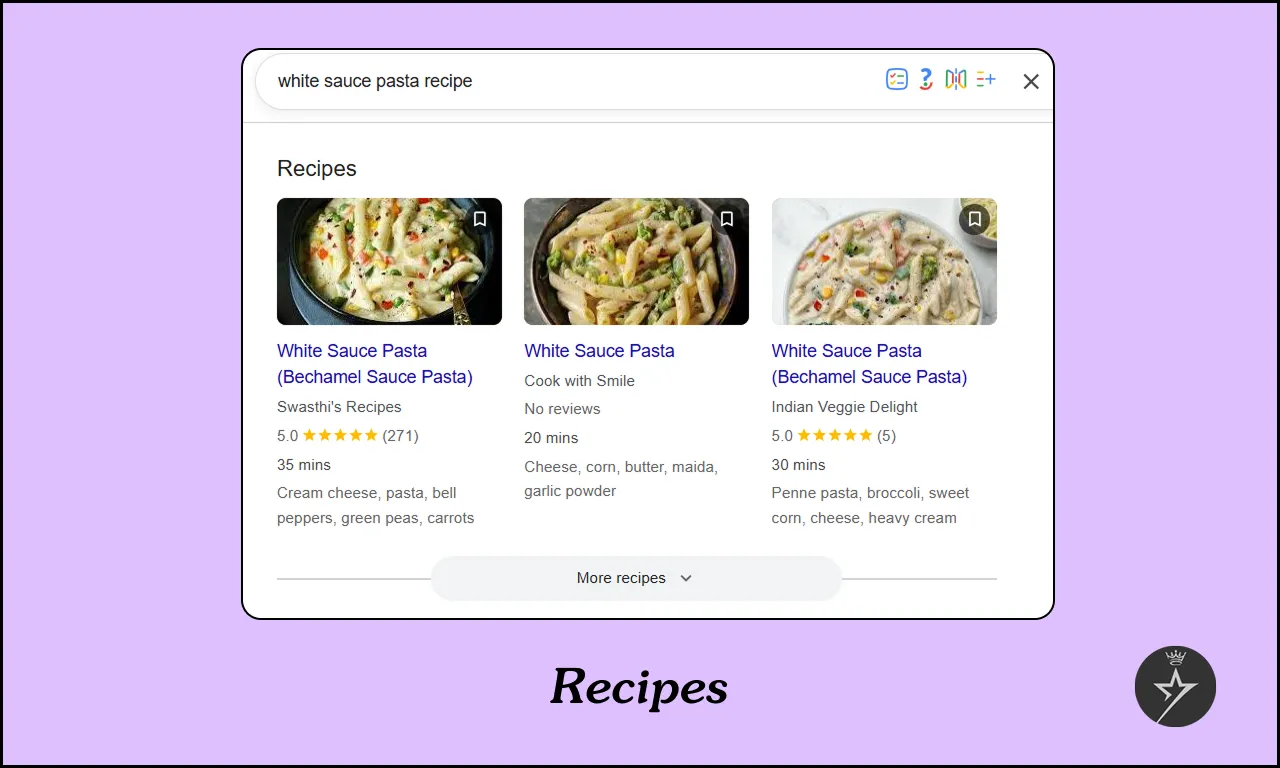
17. Google Recipes
For food-related queries, Google often displays in search results that helps users find cooking instructions, ingredient lists, and food preparation steps from across the web.
For example, searching “white sauce pasta recipe” brings up a carousel of recipe cards from popular cooking sites.
How to optimize SERP Features to win Google?
Do the mentioned steps to secure your SERP Features:
Conclusion
Increase your website ranking to the top of Google’s results isn’t enough anymore. With Google SERP features your business can achieve the spotlight, visibility depends on how well your business adapt.
Create web content that answers related questions, optimize with schema markup, and keep everything fresh, authoritative, and user-focused. Do this, and you won’t just show up in search results; your business dominates the SERP and capture attention before competitors even get a chance.
At Brandz Creation, our team help businesses secure more visibility through SERP features that matter. Let’s turn your website rankings into real results.
 Facebook
 Twitter
 Instagram
 Linkedin
 Pinterest
 Youtube



 +91-8851252605
 +91-8851252605
 hello@brandzcreation.in